
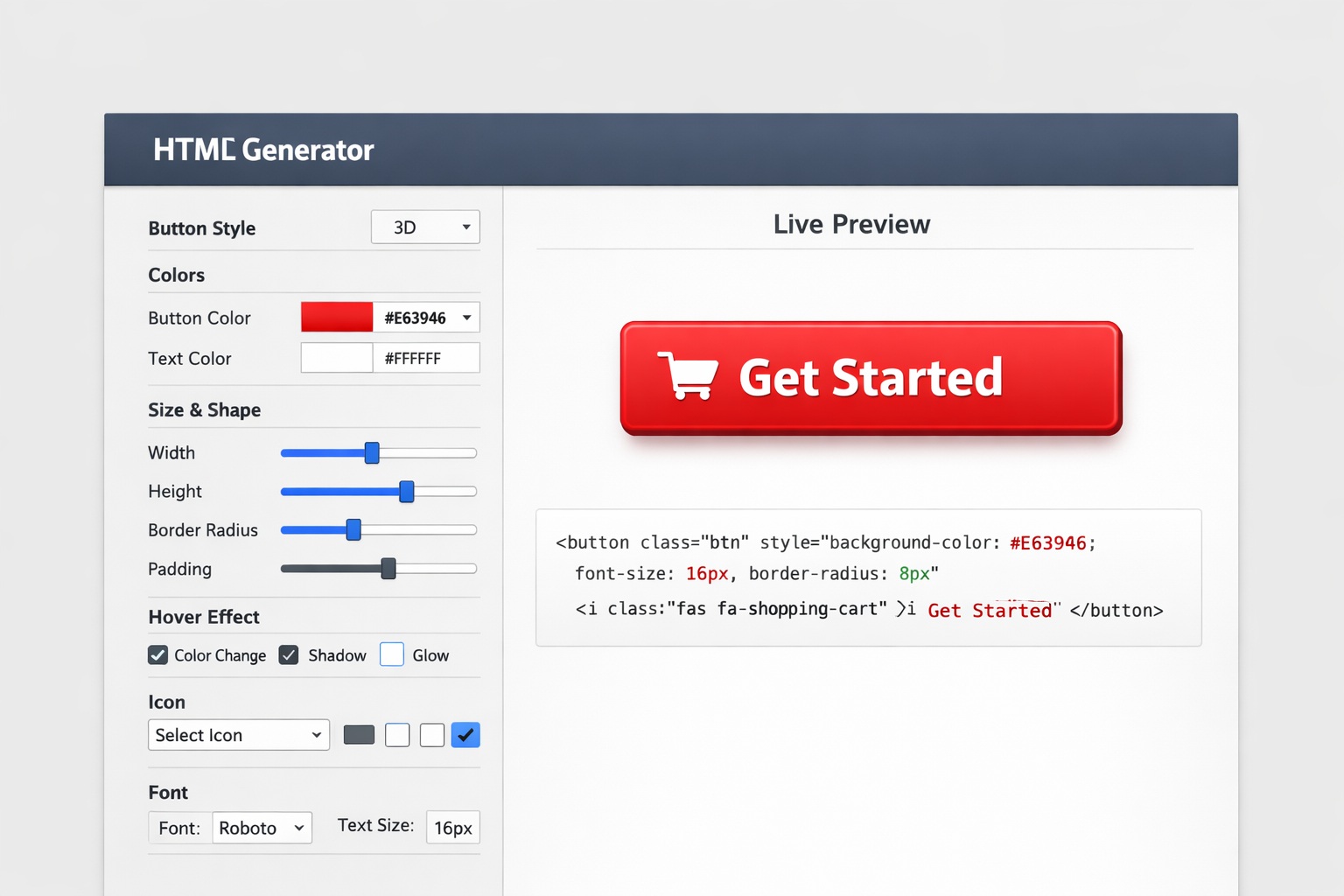
Overview: The HTML Button Generator
In web design, the humble button plays a crucial role. Whether it’s for submitting a form, navigating between pages, or engaging users with a call-to-action, buttons are essential.
An HTML Button Generator is an invaluable tool for anyone looking to add interactive, custom buttons to their website without the need for complex coding skills. This tool simplifies the process of creating buttons by offering an intuitive interface that allows users to design buttons with various styles, sizes, colors, hover effects, fonts, and more.
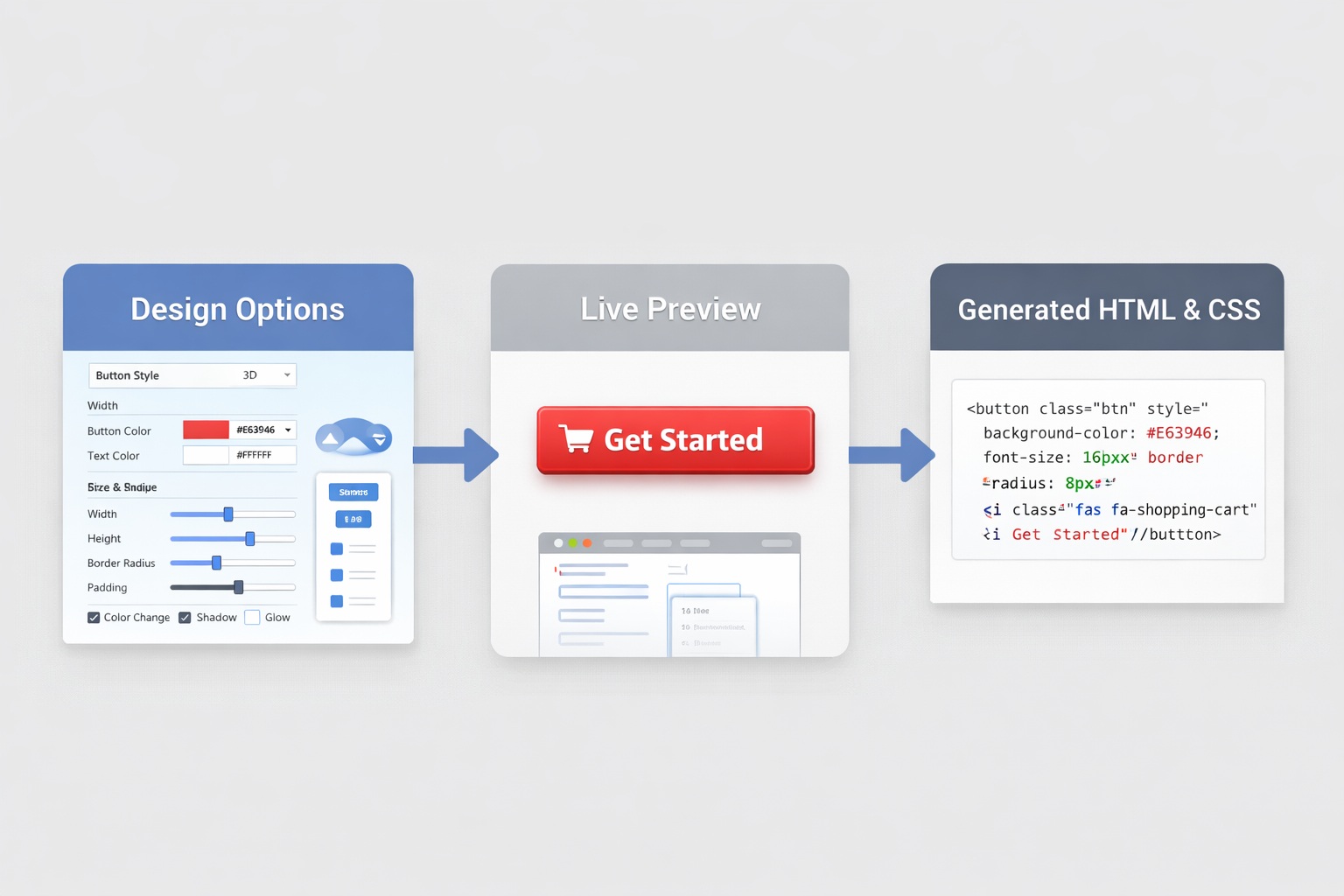
The core appeal is speed and simplicity. Instead of manually writing HTML and CSS for every button, you adjust options, preview the result, then copy the code.
Customization Features
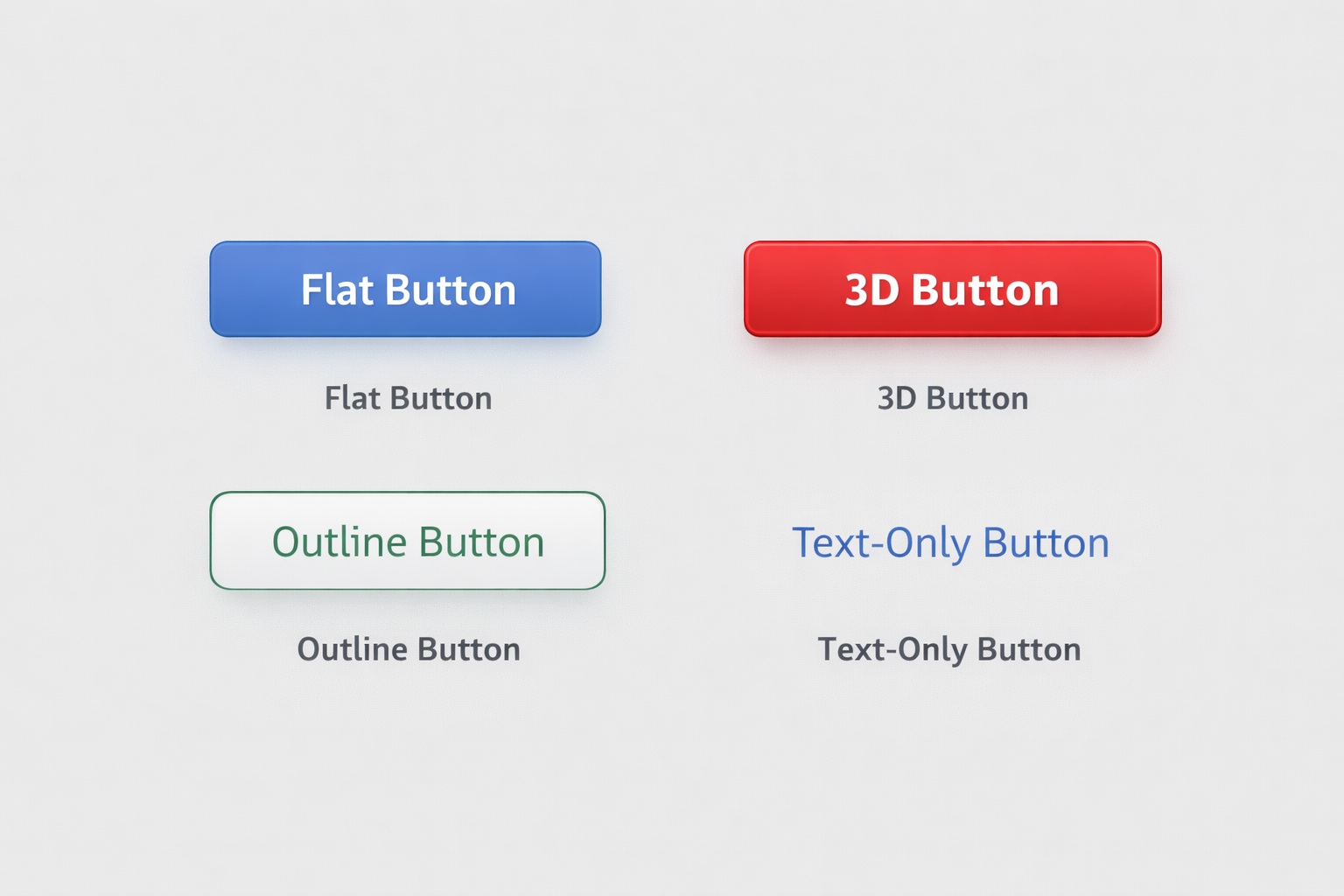
HTML Button Generators typically offer a wide range of options so you can match your site style and improve clicks. Here are the main ones:
- Button Styles: Flat, 3D, outline, and text-only options.
- Color & Background: Solid colors, gradients, and strong contrast text.
- Hover Effects: Color shifts, shadows, glows, and smooth transitions.
- Fonts: Family, size, weight, and style.
- Size & Shape: Width, height, padding, and rounded corners.
- Icons: Add icons to increase clarity (cart, download, edit, etc.).
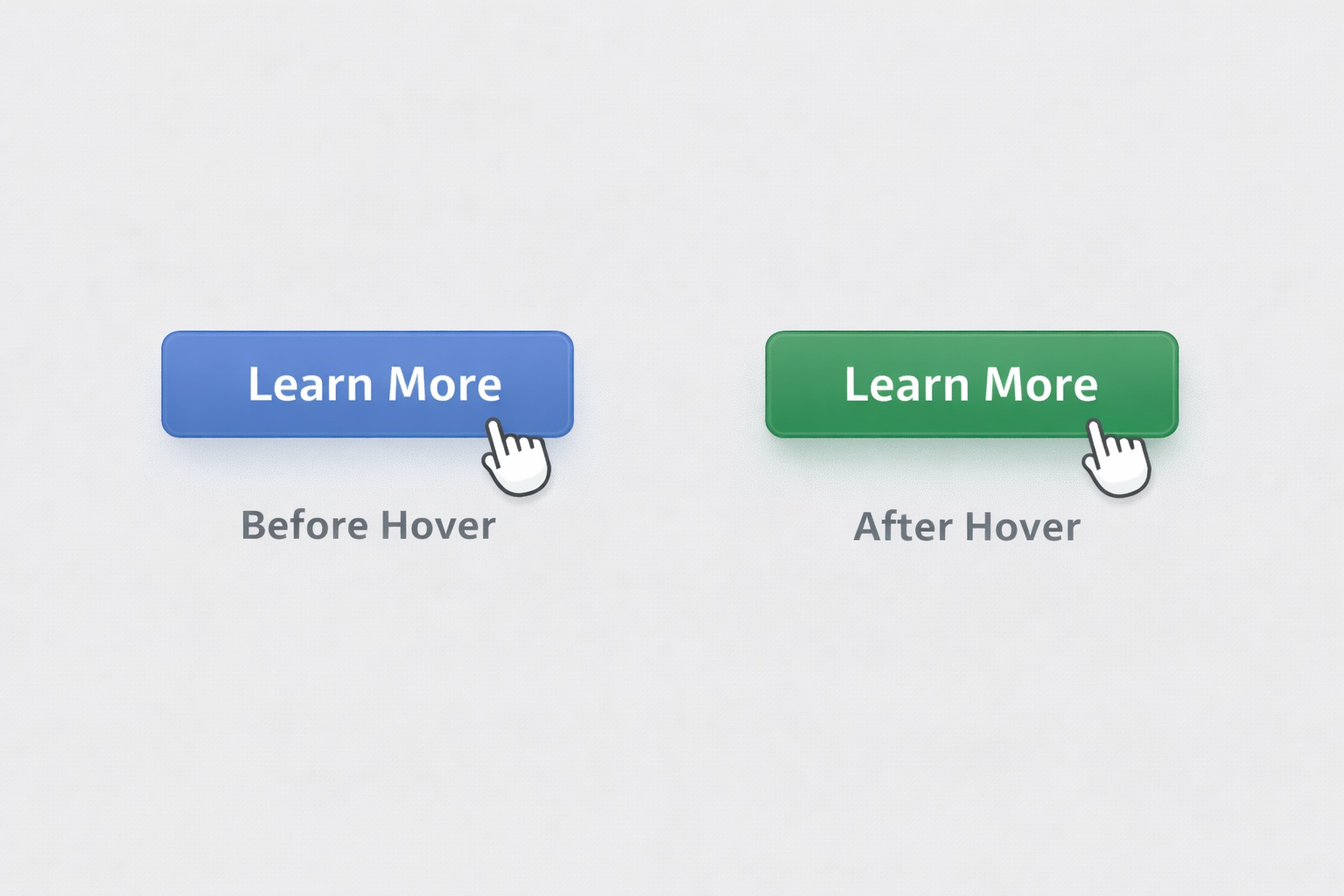
Hover Effects
Hover states are a small detail that can boost usability. A subtle shadow and color change helps users know the button is clickable.
Why Use an HTML Button Generator?
Manually coding buttons is doable, but it gets repetitive fast—especially when you need consistent styles across a full site. A generator solves that.
- Saves time: Create buttons in minutes.
- No coding required: Great for beginners.
- More flexibility: Fine-tune colors, shapes, fonts, and effects.
- Consistency: Match button styles across pages.
- Responsive options: Buttons stay usable on mobile.

Tools We Use to Manage and Monetize Button Links
Once you start using buttons across your site, one thing becomes obvious fast: managing links at scale matters.
Buttons usually point to tools, downloads, blog posts, or external resources. If you hard-code URLs into every button, updates get annoying (and mistakes happen).
Pretty Links – Clean, Trackable Button URLs
- Turn long URLs into short, branded links that look better inside buttons
- Change destinations site-wide without editing your HTML
- Track clicks to see which buttons get used most
- Perfect for tools pages, downloads, and CTAs
ThirstyAffiliates – Smart Affiliate Link Management
- Central dashboard for all your affiliate URLs
- Swap links without touching every button or post
- Keeps affiliate links organized and compliant
- Built for monetized resource pages and CTA buttons
Additional Features of HTML Button Generators
Some advanced tools add extra power on top of basic styling:
- CSS Animations: Micro-animations triggered by hover/click.
- HTML/CSS Export: Copy and paste directly into your site.
- Button Variations: Primary and secondary buttons for hierarchy.
| Feature | Description |
|---|---|
| CSS Animations | Hover/click/page-load animations like fade or bounce. |
| Custom HTML & CSS Export | Export code and implement quickly. |
| Multiple Button Variations | Primary/secondary versions for better UX. |
| Icon Integration | Add icons to clarify button intent. |
| Font Customization | Match your site’s typography. |
| Hover Effects | Color change, shadow, glow, transitions. |
| Responsiveness | Buttons adapt across devices. |
| Button Shapes & Sizes | Padding, radius, width, height control. |
| Color & Background | Solid or gradient backgrounds with contrast text. |
| Border Styles | Solid/dashed/dotted borders, corner rounding. |
| Button Grouping | Keep grouped actions visually consistent. |
| Pre-made Templates | Start fast and customize from there. |
How an HTML Button Generator Works
Creating a custom button is simple: pick settings, preview the design, then copy the generated code.
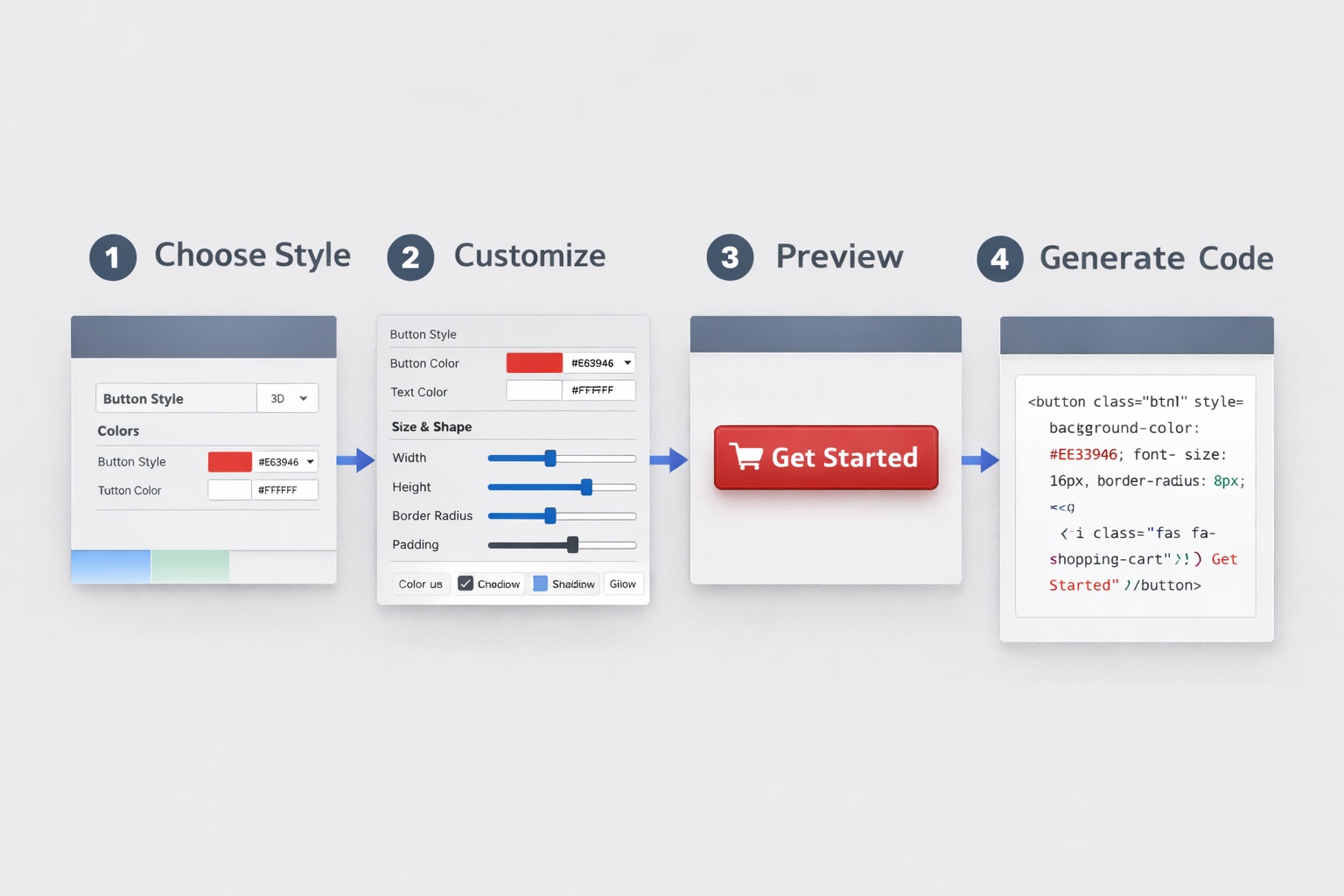
- Choose your style (flat, 3D, outline, etc.).
- Pick colors for background, text, and hover.
- Set size & shape (padding, border radius, width/height).
- Select fonts (family, size, weight).
- Add icons if needed.
- Preview and adjust.
- Generate code and copy it.
- Paste into your site and test on mobile.
Frequently Asked Questions
What is an HTML Button Generator?
An HTML Button Generator is an online tool for creating customizable buttons without writing code manually.
Do I need to know HTML and CSS?
No. Most tools are built for beginners and export code you can copy and paste.
Are the generated buttons responsive?
Most generators support responsive styling so buttons stay usable on mobile.
Conclusion
An HTML Button Generator is a practical tool for beginners and experienced web designers. It helps you create professional-looking buttons while saving time.
And once your buttons are live, tools like Pretty Links and ThirstyAffiliates help you manage and optimize where those buttons go — without editing code over and over.